A Phishing Email That Feels Too Real
A phishing email via a real Microsoft SharePoint link shows how attackers abuse legitimate infrastructure for their phishing attack
Sometimes you spot phishing right away. Bad formatting, odd phrasing, or a sender address that's just slightly off. But sometimes the opposite is true. Everything feels logical. Everything looks exactly as you'd expect. That's exactly what makes these attacks so dangerous. In situations like this, it's not just the recipient who's the target — the whole organization plays a role. An attacker uses a legitimate Microsoft 365 environment as a distribution channel. That's only possible if an account within that organization has already been taken over. Trust has already been built up, even before you've clicked anything.
We deal with phishing too
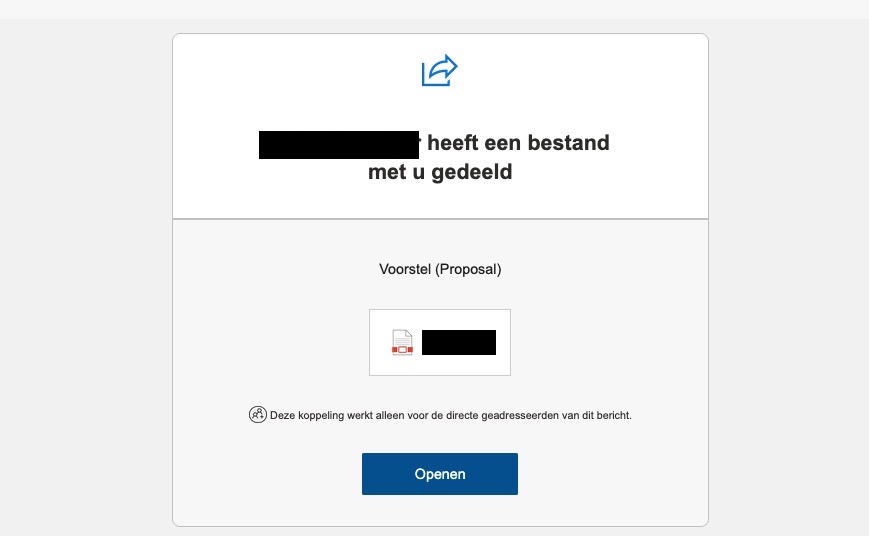
There's sometimes an illusion that cyber security companies don't receive phishing emails. Many cybercriminals don't distinguish between who or what receives a phishing email. Recently, we came across a striking email. A message that looked like a standard notification that someone had shared a file with you — in this case, "voorstel (Proposal)". We often receive requests via a .pdf document, and on top of that, the sender and surrounding context checked out. The link didn't point to some vague domain, but to a real SharePoint environment belonging to the same company that sent the email. That's exactly why this raised doubts, even for us. Naturally, our expertise made us curious, and we started investigating what was going on in a safe and controlled way.
The signal that's often missed
With classic phishing, almost everything runs on infrastructure controlled by the attacker. That wasn't the case here. The URL pointed to a real tenant, and even to a personal OneDrive location of a user within that tenant. Links like that normally only get created when someone actually shares a file from Microsoft 365.
We see this more often with this type of incident. First, an employee gets phished. Then the attacker logs in and targets new victims from the real account. Mail sent from the correct domain and via genuine Microsoft infrastructure passes through technical filters more easily, and automatically feels more trustworthy to you.
A PDF as a Trojan Horse
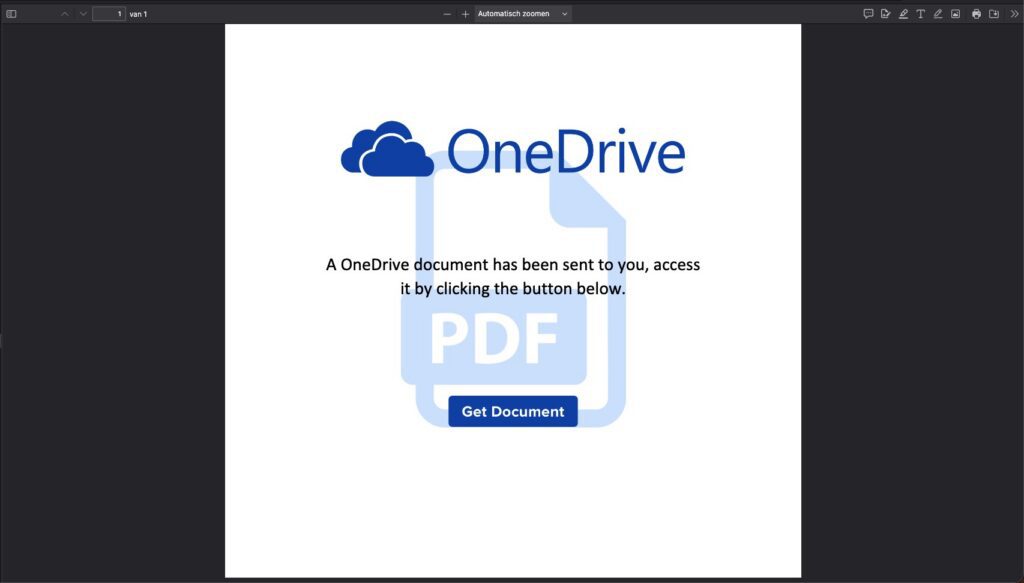
In this case, it was a shared PDF. Innocent at first glance — someone shares a document with you. The malicious step wasn't in the SharePoint link itself, but in what happened afterward.
The PDF's metadata tells an interesting story. The document was created with Microsoft Word for Microsoft 365. At the same time, the author is registered as PixDev Limited, a web design company from Ghana. The creation time also doesn't match the organization's context. On their own, these aren't conclusive evidence. Together, though, they form a logical picture: an attacker who created the document and shared it via a compromised OneDrive account.
What's really behind it?
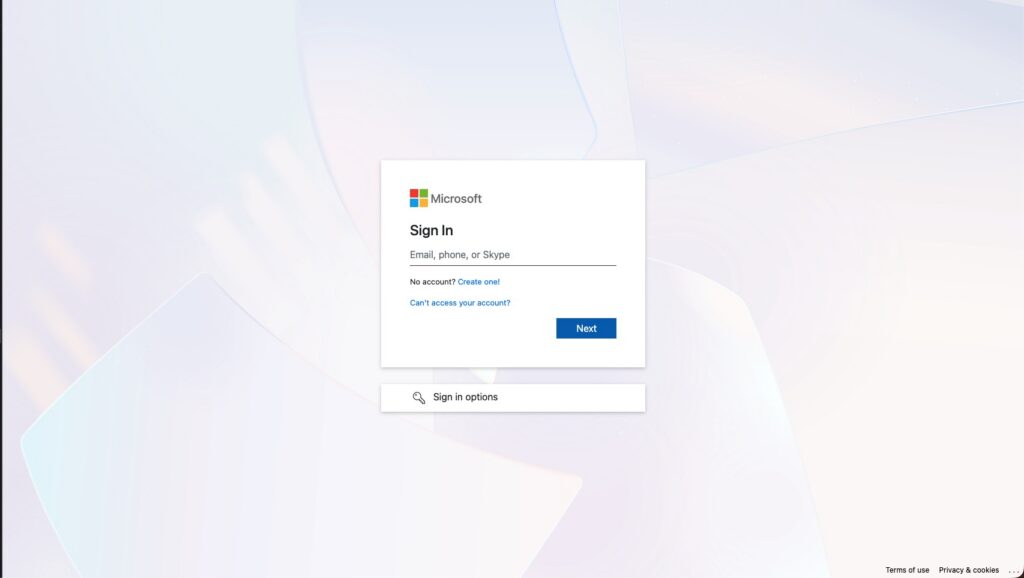
The link in the PDF led to a phishing kit that closely mimicked the Microsoft login. The goal wasn't just your password — MFA codes were actively captured too.
The first layer consisted of heavily obfuscated JavaScript. The code built up an encrypted base64 blob, decrypted it locally, and then executed the next stage. By making that step visible in a controlled way, without letting the code run directly, we could analyze what was happening.
Next came a preloader with clear anti-analysis techniques. The kit pulled data from the URL, loaded known libraries such as jQuery and Bootstrap, and pulled in additional scripts from an external cloud host. At the same time, it checked for bots, analysis tools, and debugging behavior. If anything seemed suspicious, the flow stopped.
 Only after that did the fake Microsoft login appear — complete with support for multiple MFA methods such as push notifications, codes via SMS, or authenticator apps. The backend actively communicated about status and sessions. This shows just how mature this kind of tooling has become. Phishing has long stopped being just about passwords.
Why this works so well
The strength of this attack lies in trust. You start out on a Microsoft domain within your own tenant. Everything feels familiar. Only later are you subtly redirected further — not via the SharePoint link itself, but via a button in a document you already trust.
If an email like that also happens to come from a genuine employee account, the tone automatically feels more accurate. That makes the step to click smaller than with random phishing.
What can you do about this?
It starts with realism. A Microsoft link is no longer a guarantee of safety.
If you get an email about a shared file you weren't expecting, treat it as suspicious — even if it's a SharePoint or OneDrive link. If you do open the share, pay close attention to the moment you get redirected to something outside Microsoft.
A PDF that asks you to click to view or verify the document is often the tipping point. Check whether the file can normally be opened in SharePoint without any extra buttons. And if you're in doubt, verify it with the sender through a different channel.
Stay sharp!
This case shows what high-trust phishing looks like. Real Microsoft infrastructure is used as the wrapper. The malicious step only comes later in the chain.
What's extra concerning is that this often points to a compromised account within the organization. In that case, you're not just dealing with a phishing email — you're dealing with a signal that an attacker is already inside and actively using the tenant to spread further. That calls for action, not just awareness.