How Is a URL Structured?
This blog explains how to recognize a secure URL. A secure URL starts with https and has a valid subdomain.
URL stands for "Uniform Resource Locator" and is, put simply, the address of a website on the internet. A URL consists of several parts, which we'll cover in this blog. If your employees know how a URL works and is structured, they'll also be better able to recognize incorrect or malicious URLs. These malicious URLs can, for example, appear in phishing or smishing messages.
Be sure to forward this blog internally, or take a look at our cyber security awareness trainings, where we also cover these kinds of topics in depth and interactively.
HTTP or HTTPS
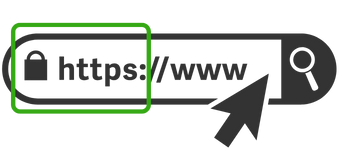
This is where a website's URL starts. The abbreviation Http(s) stands for Hypertext Transfer Protocol, and the final S stands for Secure. The difference between these two protocols is that https ensures an encrypted connection between the person and the website. This means it's not possible for an attacker to read the network traffic this way (man-in-the-middle attack).
Keep in mind, however, that the person managing the website may still store your personal data without encryption, meaning they could see what password you use on their malicious website. So the connection itself may be secure, but if you're in contact with a cybercriminal, that padlock icon in your address bar doesn't mean you're safe.
Obtaining a green padlock is also very easy, so don't see a green padlock as a sign that a website is completely safe.
Website
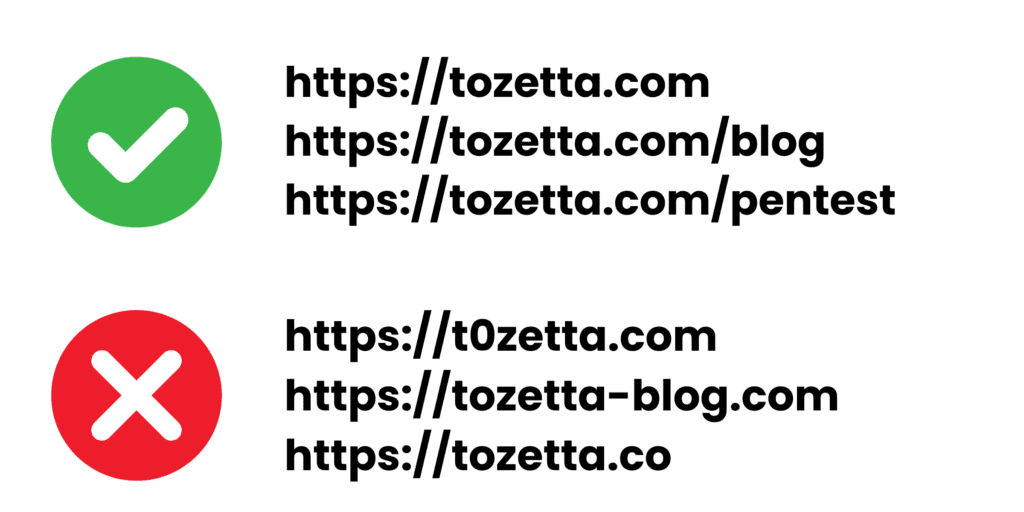
After the http(s)://www. comes the website. When visiting a website, check whether the URL matches what you expect. Website names that resemble the legitimate website are being registered more and more often. Criminals often register a domain name that resembles the legitimate website in order to appear credible. Below you can see a few examples of how users can be misled.
Watch out especially for:
- Spelling mistakes, such as swapping an o for a 0
- A different domain that resembles a legitimate domain by adding extra words (see example 2)
- Use of an incorrect domain extension (read on after the image)
Domain extension
 Lastly comes the domain extension. There are an extremely large number of different types of domain extensions available, but the most common in the Netherlands are: .nl, .com, .eu. Do you land on a website with a domain extension you don't recognize? Then check carefully whether you're really on the company's genuine website. Criminals often buy domain names that are identical to a legitimate company, but with a different domain extension, to appear convincing.
Subdomain
 You can recognize a subdomain by the part that comes before the actual website name. A subdomain is used to separate your website into different sections. For example, you might place a test environment or a blog on a subdomain.
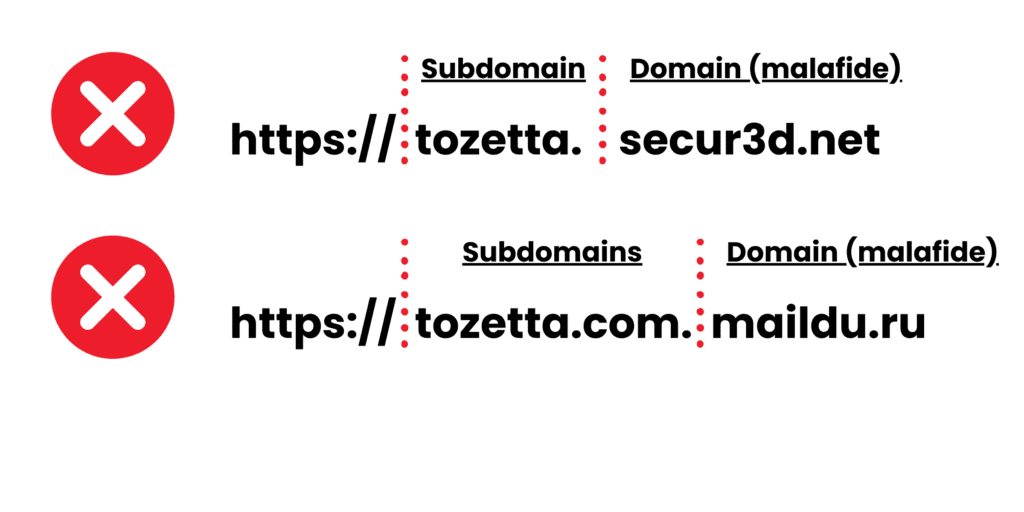
Sometimes subdomains are also used to mislead you. Subdomains always come before the actual domain. So always look at the last website name + domain extension, that is the domain you're actually being directed to. In the example, you can see that you're visiting subdomains of the websites:
''secur3d.net'' & ''maildu.ru''
More cybersecurity tips?
The next time you receive a phishing email, you'll know how to check the link. Malicious links appear everywhere, which is why it's important to share this blog with colleagues and improve security awareness within your organization.
Want to know how to counter phishing? Read our blog on how to protect yourself against phishing.